

The #1 SQL Mistake Every Beginner Makes (And How to Fix It)
One missing clause. One cryptic error message. One moment every SQL beginner has lived through — and the lessons that come after it.
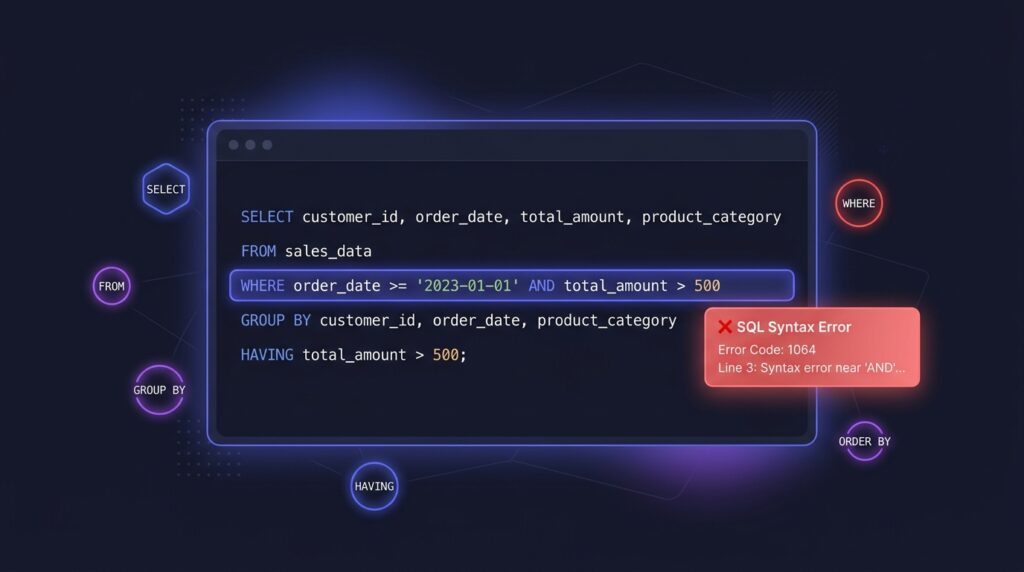
You write your first real SQL query. You’re proud of it. You hit run.
And then MySQL stares back at you with something like:
Error Code: 1064. You have an error in your SQL syntax...
Or worse — it runs perfectly, returns zero rows, and you spend the next 45 minutes convinced the database is empty.
The culprit, nine times out of ten? A missing or broken WHERE clause. It’s so common it has its own Reddit moment — a post titled “Forgot ‘where'” that earned 1,400 upvotes from developers nodding along in recognition.
But the WHERE clause is just the beginning. Here are the five SQL mistakes that trip up almost every beginner — what causes them, what the error looks like, and exactly how to fix them.
Mistake 1 — Forgetting the WHERE Clause (Or Getting It Wrong)
The WHERE clause is how you tell SQL which rows you want. Miss it, and you get everything. Get it wrong, and you get nothing — or worse, the wrong data with no error to warn you.
Here’s a classic beginner version of this mistake:
SELECT * FROM orders;
SELECT * FROM orders
WHERE status = 'completed';
The dangerous version of this mistake isn’t the one that throws an error — it’s the one that runs fine and silently returns wrong data. Always ask yourself: am I filtering to exactly the rows I need?
Before writing any query, write your WHERE clause first. Decide which rows you want, then build the SELECT around it. It forces clarity before complexity.
Mistake 2 — Using WHERE Instead of HAVING to Filter Aggregates
WHERE runs before aggregation happens. So if you try to filter on an aggregate function inside WHERE, SQL hasn’t calculated it yet — and it throws an error.
SELECT customer_id, SUM(order_total) AS total_spent
FROM orders
WHERE SUM(order_total) > 1000  -- This will error
GROUP BY customer_id;
SELECT customer_id, SUM(order_total) AS total_spent
FROM orders
GROUP BY customer_id
HAVING SUM(order_total) > 1000;
The rule is simple: WHERE filters rows before grouping. HAVING filters groups after aggregation. If your filter involves a SUM(), COUNT(), AVG(), MIN(), or MAX() — it belongs in HAVING, not WHERE.
WHERE = filters individual rows. HAVING = filters groups. If you’re grouping data, HAVING comes after GROUP BY.
Mistake 3 — Getting the ORDER OF OPERATIONS Wrong
SQL has a strict clause order. Writing them out of sequence throws a syntax error — even if every individual clause is correct. This trips up beginners constantly because the order you write SQL doesn’t match the order SQL executes it.
SELECT category, COUNT(*) AS total
HAVING total > 5
FROM products
WHERE price > 50
ORDER BY total DESC
GROUP BY category;
SELECT category, COUNT(*) AS total
FROM products
WHERE price > 50
GROUP BY category
HAVING total > 5
ORDER BY total DESC;
The correct order to write SQL clauses is:
SELECT    -- what columns you want
FROM      -- which table
JOIN      -- any joins to other tables
WHERE     -- filter rows (before grouping)
GROUP BY  -- group rows together
HAVING    -- filter groups (after grouping)
ORDER BY  -- sort the results
LIMIT     -- restrict how many rows to return
Some Friends Join Without Getting Hungry Or Lost — SELECT, FROM, JOIN, WHERE, GROUP BY, HAVING, ORDER BY, LIMIT.
Mistake 4 — Using = Instead of IS NULL
NULL is not a value — it’s the absence of a value. This means you can’t compare it with = or !=. Doing so will always return zero rows, silently, with no error.
SELECT * FROM customers
WHERE phone_number = NULL;
SELECT * FROM customers
WHERE phone_number IS NULL;

-- To find non-null values:
SELECT * FROM customers
WHERE phone_number IS NOT NULL;
This one is especially sneaky because your query runs without errors and returns results — just the wrong ones. Always use IS NULL or IS NOT NULL when dealing with missing values.
Mistake 5 — GROUP BY Doesn’t Include All Non-Aggregated Columns
When you use GROUP BY, every column in your SELECT must either be in the GROUP BY clause or wrapped in an aggregate function like SUM() or COUNT(). If it’s neither, MySQL (in strict mode) will throw an error.
SELECT customer_id, customer_name,
       SUM(order_total) AS total_spent
FROM orders
GROUP BY customer_id;
SELECT customer_id, customer_name,
       SUM(order_total) AS total_spent
FROM orders
GROUP BY customer_id, customer_name;
Look at every column in your SELECT. If it doesn’t have SUM(), COUNT(), AVG(), MIN(), or MAX() around it — it must appear in your GROUP BY. No exceptions.
The Pattern Behind All 5 Mistakes
Notice what all five mistakes have in common — none of them are about complex logic or advanced SQL concepts. They’re about understanding how SQL executes queries under the hood:
SQL doesn’t read your query the way you write it. It processes it in this order: FROM → JOIN → WHERE → GROUP BY → HAVING → SELECT → ORDER BY → LIMIT. Once that clicks, most of these mistakes stop happening entirely — because you understand why the rules exist, not just what they are.
Every SQL developer has hit all five of these at some point. The difference between a beginner and someone more experienced isn’t that the experienced person never makes mistakes — it’s that they recognise the error message faster and know exactly where to look.
Keep writing queries. Keep breaking things. That’s how this works.
These exact techniques — WHERE, HAVING, GROUP BY, NULL handling — appear throughout my SQL project analyses. Check out the E-Commerce Traffic Analysis or the Contoso Retail project to see them applied to real business questions.